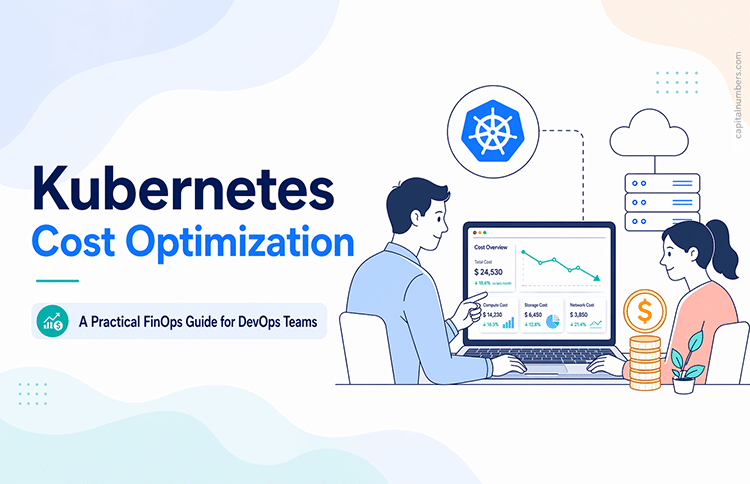

Kubernetes Cost Optimization: A Practical FinOps Guide for DevOps Teams
Table of Contents
Quick Summary
Kubernetes makes it easy to scale applications — and equally easy to overspend. Most Kubernetes cost problems are not caused by traffic spikes. They come from poor defaults: missing resource requests, always-on non-production environments, load balancer sprawl, and orphaned storage volumes. This guide covers seven practical steps for DevOps teams to take control of Kubernetes costs using FinOps principles — from visibility and right-sizing to autoscaling, governance, and networking. Efficient Kubernetes platforms are not accidental. They are engineered deliberately.
Kubernetes made scaling applications easier — but it also made overspending easier.
In most teams, cost becomes an afterthought because Kubernetes hides underlying cloud consumption behind abstractions. You see deployments, namespaces, and pods. The bill shows EC2 instances, load balancers, NAT gateways, persistent volumes, and data transfer — and the gap between the two grows quietly for months before anyone notices.
FinOps is the operating model that closes this gap. It is not “finance telling engineers to cut costs.” It is a practice where DevOps and engineering teams take shared ownership of cloud spend — using measurable signals and repeatable processes, not one-off cleanups.
The Most Common Kubernetes Cost Mistakes
CPU requests set too high, leaving nodes under-utilised. Staging environments running 24/7 at full production spec. A LoadBalancer service provisioned per application instead of a shared ingress. Idle persistent volumes accumulating charges after workloads are deleted. Cost treated as a finance problem rather than an engineering metric.
What Actually Drives Kubernetes Cost?
Kubernetes itself does not cost money. The infrastructure running it does. Most spend falls into five categories:
- Compute — EC2/VM instances and node groups, often over-provisioned due to high resource requests
- Networking — NAT gateways, load balancers, and cross-AZ data transfer; frequently underestimated
- Storage — Persistent volumes, snapshots, and high-IOPS tiers used where standard storage would suffice
- Kubernetes Tax — Baseline overhead from CoreDNS, CNI plugins, logging agents, and sidecars that run regardless of workload
- Bad defaults — Missing resource requests, no autoscaling, always-on non-prod environments, and no ownership tagging
The last category is where most teams should start. In microservices architectures — where Kubernetes is most commonly deployed — bad defaults multiply across many services and namespaces, creating waste that is easy to eliminate once it becomes visible.
Step 1: Make Cost Visible — No Visibility Means No Control
You cannot optimise what you cannot see. Start by standardising labels across all workloads — at minimum, team, app, and env — and enforcing them using an admission policy tool such as Kyverno or OPA Gatekeeper. Without consistent labelling, cost allocation tools cannot attribute spend to the services generating it.
- Kubecost — per-namespace and per-deployment cost breakdowns in real time
- InfraCost — cost estimation earlier in the pipeline, before resources are deployed
- Cloud billing dashboards — useful for overall trends but too coarse for workload-level decisions
Visibility is the foundation. Every subsequent step depends on being able to measure the impact of what you change.
Step 2: Fix Resource Requests, Limits, and Right-Sizing
Kubernetes schedules based on resource requests, not actual usage. Requests set too high mean nodes running at a fraction of their capacity while the cluster pays for all of it — a problem called poor bin-packing. Missing requests make autoscaling unreliable. Both are expensive.
Enforce discipline at the namespace level using LimitRange (default and maximum values per container) and ResourceQuota (total consumption cap across the namespace). Then right-size workloads using real usage data from Prometheus or Kubecost request-vs-usage reports — reduce requests gradually and monitor error rates after each change. The Vertical Pod Autoscaler (VPA) in recommendation mode can automate this analysis. Right-sizing is the single highest-ROI optimisation in most Kubernetes environments.
Step 3: Use Spot Instances for Stateless Workloads
Spot instances offer compute at 60–80% below on-demand pricing. The standard production pattern is a split architecture: stable on-demand nodes for critical or stateful workloads, with stateless services and burst capacity running on Spot. Two practices make this reliable:
- Pod Disruption Budgets (PDBs) — define how many pods can be unavailable simultaneously, preventing a Spot reclamation from taking down an entire service
- Instance type diversification — request capacity across multiple compatible instance types to reduce the risk of Spot unavailability in any single pool
Step 4: Autoscale the Right Way
Horizontal Pod Autoscaler (HPA)
HPA scales pod replicas based on CPU, memory, or custom metrics — but only saves money if resource requests are accurate, metrics are up to date, and minReplicas is set sensibly. A common mistake is setting minReplicas too high out of caution, which prevents HPA from ever scaling down.
Node Autoscaling: Cluster Autoscaler vs Karpenter
Pod scaling alone is not enough. Unused nodes still cost money. Karpenter has become the preferred node autoscaler for most teams: it provisions nodes faster than Cluster Autoscaler, supports mixed instance types in a single node pool, and packs pods more efficiently — directly reducing the node count and the bill.
Step 5: Eliminate Passive Waste — Non-Prod and Storage
Two of the highest-impact sources of avoidable cost share a common characteristic: they are paying for resources that are not doing anything useful.
- Non-production environments — dev and staging clusters running 24/7 are idle for more than half the day. Schedule deployments to scale down outside business hours using KEDA or a simple CronJob. If a team works a 10-hour day, the saving is immediate and requires no architectural change.
- Orphaned storage — persistent volumes left behind after workloads are deleted, PVCs provisioned far larger than needed, and high-IOPS storage used where standard tiers would suffice. Audit PVC usage quarterly, delete unbound volumes promptly, and apply snapshot lifecycle policies to expire old backups automatically.
Step 6: Reduce Networking Surprises
Networking is where Kubernetes cost most often surprises teams. NAT gateways charge per GB processed — costs spike when pods frequently pull container images from external registries or logging agents export large data volumes. As covered in our AWS cost optimisation guide, using Gateway VPC Endpoints for S3 and DynamoDB bypasses the NAT entirely for those services, and a local image registry cache eliminates repeated external pulls.
`Load balancer sprawl is the other common networking cost: every Kubernetes Service of type LoadBalancer provisions a separate cloud load balancer at a fixed hourly rate. Consolidate behind a single Ingress controller with shared ALB/NLB routing rules. In environments where sprawl has accumulated, this change alone can reduce load balancer costs by 80% or more.
Step 7: Build Governance So Costs Don’t Creep Back
Without governance, optimisation gains erode within weeks. New workloads are deployed without resource requests. New services get their own load balancers. Non-production environments are left running over a long weekend. The pattern is entirely predictable — and preventable.
Admission policies (Kyverno or OPA Gatekeeper) can reject workloads missing resource requests or ownership labels, making non-compliance structurally impossible rather than just discouraged. Integrating CI/CD pipelines with tools like InfraCost means engineers see the estimated cost impact of infrastructure changes before they merge — not after the bill arrives.
Sustain progress with namespace resource quotas to cap total consumption, budget alerts to notify teams early, and a monthly cost review covering top spenders, changes versus the previous month, and unexplained spikes. Track node utilisation rate and the percentage of workloads with resource requests set as the two core KPIs.
Build a Kubernetes Platform That’s Efficient by Design
Kubernetes cost optimisation is not about cutting resources blindly. It is about running workloads efficiently, predictably, and with clear ownership. When FinOps practices are embedded into DevOps workflows from the start, cost becomes a continuous engineering discipline — not a quarterly surprise.
Work with Capital Numbers
If your team is managing Kubernetes in production and wants to bring more financial discipline to cloud operations, our cloud engineering team can help — from FinOps tooling and governance policies to autoscaling architecture and right-sizing programmes. Get in touch at capitalnumbers.com.
Frequently Asked Questions: Kubernetes Cost Optimisation
1. What is FinOps and why does it matter for Kubernetes?
FinOps is a cloud financial management practice where engineering, finance, and operations teams share ownership of cloud spend. For Kubernetes specifically, it matters because the platform’s abstractions — pods, namespaces, node pools — hide the actual resources generating cost. Without deliberate visibility and governance, Kubernetes environments tend to accumulate waste silently and consistently.
2. What is the fastest way to reduce Kubernetes costs?
Fixing resource requests and limits. Most clusters are significantly over-provisioned because requests were set conservatively at deployment time and never revisited. Measuring actual CPU and memory usage and reducing requests to match — gradually, with monitoring — often cuts node count by 20–40% with no change to application performance. Scheduling non-production environments to scale down overnight delivers additional savings immediately.
3. What is the Kubernetes Tax?
The Kubernetes Tax is the baseline overhead every cluster carries regardless of workload — CoreDNS, CNI plugins, metrics-server, logging agents, and sidecar proxies from service meshes. These run continuously whether the cluster is busy or idle. In small clusters, this overhead can represent a disproportionate share of total spend, which is why right-sizing the cluster to its actual workload is important.
4. How do you prevent Kubernetes costs from creeping back after an optimisation exercise?
Through governance, not one-time cleanup. Admission policies that reject non-compliant workloads, namespace resource quotas that cap consumption automatically, and regular cost reviews are what keep savings stable. The combination of policy enforcement and continuous visibility is far more effective than periodic manual audits.


 Web Development
 Cloud Engineering
 Mobile App Development
 AI/ML/GenAI
 E-commerce
 Software Development
 UI/UX
UI/UX QA
QA Dedicated Teams