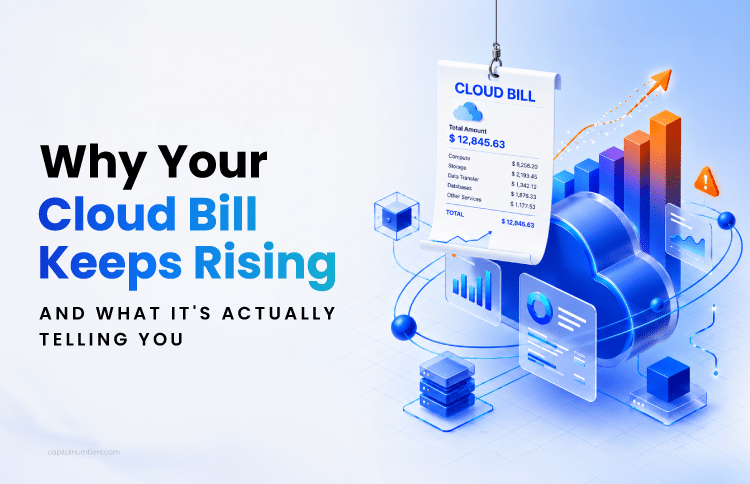
Why Your Cloud Bill Keeps Rising – and What It’s Actually Telling You
Table of Contents
Quick Summary
Cloud infrastructure costs become a problem when spending increases faster than the value it delivers. Common warning signs include unclear cost ownership, software or services not being fully used, multiple tools performing similar functions, and technology decisions that no longer effectively support business needs. Identifying these issues early makes it easier to optimize costs without disrupting day-to-day operations.
Your cloud bill is growing, but is it actually delivering value?
That question sits at the center of cloud cost optimization: ensuring what you invest in your cloud infrastructure is proportionate to actual usage, workload requirements, operational risk, and measurable business value.
Cloud infrastructure costs are rising in 2026 as businesses move toward AI-ready systems, platform modernization, and stronger governance. Gartner forecasts India’s public cloud end-user spending to reach $17.5 billion in 2026, up from $13.7 billion in 2025, which shows a 28.1% increase.
But AI is not the only factor. Infrastructure costs can also rise because of data growth, hybrid and multicloud environments, platform modernization, and other business needs. This complexity can make it difficult to understand which investments are driving measurable business outcomes and which are simply increasing operational overhead.
In this article, we have outlined the primary signs to determine whether your current setup is still worth what the business spends on it, or whether it needs to be optimized, modernized, or redesigned.
Sign 1: Cloud Cost Visibility Problems Across Teams
Cloud cost visibility fails when spending is visible but not explainable. Most organizations can view their total monthly bill through tools like AWS Cost Explorer or Azure Cost Management, but cannot trace a cost spike to a specific team, workload, application, or decision. The bill is visible. The ownership behind it is not.
Without the right context or clear ownership, managing or optimizing cloud costs becomes difficult. For instance, if your organization’s cloud costs increase by 15% next month, is it because a major product is scaling rapidly with new customers? Or did a developer accidentally leave an expensive test environment running over the weekend?
In cloud engineering reviews, this is often where the real problem starts. The bill is visible, but the ownership behind the bill is not.
What Causes the Cloud Visibility Gap
In complex environments, different departments have different information which are not connected to each other. For example:
- The finance department sees the invoice, the monthly increase, and the budget variance, but can’t trace which workload, team, or technical decision caused the spike.
- The engineering team sees utilization, performance, logs, and resource activity, but can’t always see how those choices affect budget, margin, or business value.
- The operations team knows which systems are critical and what needs to stay available, but can’t always tell whether the cost of keeping those systems running is proportionate to the actual risk or business impact.
This visibility gap widens even more when you factor in hidden overhead charges, such as cross-region data transfers, API call volumes, unused snapshots, and the indirect cost of engineering time spent managing the infrastructure.
How to Close the Visibility Gap
To close the visibility gap in cloud infrastructure, companies can follow these steps:
- Create one trusted cost view across finance, engineering, and operations. Map cloud spend beyond broad categories like compute and storage to teams, environments, and business outcomes.
- Use strong tagging discipline. Every cloud resource should have an owner, a purpose, an environment, and a product or project link to turn the cloud bill into an accountable cost structure.
- Track hidden and indirect costs. Include data transfer, API calls, support tiers, unused credits, and engineering effort where possible. These costs don’t appear on a standard invoice but accumulate fast. Ignoring them is why finance and engineering often look at the same bill and see completely different numbers.
- Use shared dashboards and anomaly alerts. Set up shared dashboards in tools like Grafana or AWS Cost Explorer, with anomaly alerts routed to the right Slack channel or ticketing system. So, when cost spikes, the relevant team sees it the same day, not at the next budget review.
- Build shared accountability between finance and engineering. Cloud cost visibility should not sit with finance alone. Engineering teams need to understand how technical decisions affect spend, while finance needs enough workload context to separate healthy scaling from waste. This shared accountability is the foundation of mature cloud cost management.
Sign 2: Underused Cloud Capabilities
Underused cloud capabilities occur when organizations pay for a platform but never fully activate its features. The gap between what was purchased and what is actually used becomes a recurring, invisible cost. Even though the tool remains on the invoice, it never delivers the value it was expected to provide.
For instance:
- Backup and recovery teams store monthly recovery copies using services such as AWS Backup or Azure Recovery Services. But many never test whether those copies restore within the required RTO. They’re paying for enterprise-grade recovery and running basic cold storage.
- Engineering and DevOps teams deploy Datadog or New Relic for observability. But if alert routing isn’t wired into PagerDuty or the incident response workflow, MTTR doesn’t improve. The tool simply collects data but doesn’t reduce resolution time.
- Database and infrastructure teams run workloads on Amazon RDS or Azure SQL without enabling read replicas, automated scaling, or query performance insights. The result is duplicate manual processes doing what the platform already does natively.
AI workloads make this gap more expensive. Teams may deploy tools or platforms like Amazon Bedrock, Vertex AI, or Pinecone to support GenAI search, document processing, or copilots. But if usage is not mapped to a measurable outcome, costs can rise through repeated embedding jobs, oversized vector indexes, always-on inference, or underused AI capacity. The issue is not AI adoption itself; the issue is AI infrastructure running without clear value tracking.
How to Audit Before You Invest More in Cloud Infrastructure
Before buying another platform or expanding cloud infrastructure, businesses should first do a cloud cost assessment based on:
- Current usage: What tools, features, and cloud-native capabilities are actually being used?
- Team readiness: Do teams know how to use the platform beyond the basic setup?
- Business outcome: Is the tool improving recovery, reducing incident time, increasing productivity, or supporting a measurable AI use case?
Sign 3: Cloud Tool Overlap
Cloud tool overlaps when different teams independently adopt solutions for the same function, such as monitoring, backup, security, or compliance, without reviewing the stack as a whole. Each decision makes sense on its own. But, together, they create unnecessary complexity and higher costs across the infrastructure.
Hybrid cloud is now common in enterprise environments. Flexera’s 2026 State of the Cloud Report found that 73% of organizations operate hybrid cloud estates. As infrastructure becomes distributed across cloud and on-premises environments, managing tools consistently becomes more difficult.
Teams often adopt solutions independently to address their own requirements, which can lead to overlapping capabilities across the technology stack. For example, a development team may adopt a monitoring platform that fits its needs. The infrastructure team may continue using a backup system that has proven reliable over the years. The security team may add a threat detection service to address emerging risks.
In practice, overlap is rarely created by one bad decision. It usually builds through many reasonable decisions that were never reviewed together.
While each decision makes sense in isolation, over time, it can create a more complex and expensive technology stack than originally intended.
Where Overlap Usually Shows Up
| Cloud setup | Common overlap risk |
|---|---|
| Public cloud | Multiple monitoring, backup, and security tools layered over native cloud services |
| Private cloud / on-premises | Legacy backup, licensing, and monitoring systems are kept alongside newer cloud tools |
| Hybrid cloud | The same function is handled separately across cloud and on-premises environments |
| Multi-cloud | Different teams using different tools for the same monitoring, security, or cost-control needs |
| Cloud + SaaS tools | Duplicate reporting, identity, security, or workflow tools across subscriptions |
How Hybrid Cloud Optimization Reduces the Overlap Trap
For many businesses, optimizing hybrid cloud is not only about removing duplicate tools. It also means reviewing governance, security, scalability, and integration so that cloud, on-premises, and SaaS systems work together instead of creating hidden overlap.
- Map tools by function, not by vendor or team. Review backup, monitoring, security, compliance, data movement, and incident response tools based on what they actually do.
- Identify where overlap is not improving outcomes. If two tools serve a similar purpose, determine whether both are necessary or whether one can meet the requirement on its own.
- Consolidate carefully. Decide which platforms should stay, which should be retired, and which should be used more deeply. The goal is not to eliminate tools wherever possible, but to reduce unnecessary overlap while maintaining the capabilities the business needs.
- Establish a common governance framework across environments. Consistent policies, automated controls, and operating practices help prevent complexity from increasing as the technology landscape grows.
Sign 4: Unclear Cloud Architecture Decisions
Unclear architecture decisions arise when rising costs cannot be traced to a specific cause. Without that visibility, it becomes difficult to know whether the right response is to optimize, consolidate, modernize, or switch providers. As a result, businesses either cut spending in the wrong places or delay action altogether.
Before cutting spending, renewing the same setup, or switching providers, they need to identify the real issue. Teams should also review workload placement. Some workloads belong in the public cloud; some may perform better in a hybrid setup; and some AI-heavy or data-intensive workloads may require a different architecture to control cost, latency, compliance, or scalability. Cloud cost optimization should be treated as an ongoing review, not a one-time audit.
- Optimize: When the core architecture is still right, but usage, pricing, storage, or resource allocation is inefficient.
- Consolidate: When multiple tools are doing similar jobs and creating unnecessary licensing, support, or governance overhead.
- Modernize: When outdated architecture, manual processes, or a lift-and-shift setup limits performance, scalability, or delivery speed.
- Switch: When the current provider, pricing model, or compliance fit no longer supports the business direction.
One of our e-commerce clients struggled to scale its Google Cloud infrastructure during traffic surges, resulting in slowdowns, service interruptions, and potential revenue loss. They were also paying for more resources than needed during off-peak hours.
The problem was not the cloud provider. It was a scaling and resource-allocation issue. Capital Numbers optimized and modernized the existing Google Cloud setup with scalable infrastructure, load balancing, deployment automation, monitoring, and stronger access and security configuration. This helped the platform handle demand spikes, reduce unnecessary resource allocation during quieter periods, improve deployment reliability, and strengthen operational visibility.
Rising cloud costs do not always mean the platform is wrong. In this case, the better decision was to scale the existing infrastructure to match real workload demand.
Final Word: Is Your Infrastructure Spending Justified?
A rising cloud bill is a symptom, not a diagnosis. The four signs in this article, including unclear cost ownership, underused capabilities, overlapping tools, and architecture decisions made without enough data, rarely appear in isolation. They compound. Visibility gaps lead to underutilization, which leads to tool sprawl, and tool sprawl makes the next architecture decision harder to get right.
Businesses that manage cloud costs well aren’t necessarily spending less. They’re spending with better accountability, knowing which workload owns which cost, which platform is earning its license, and whether yesterday’s architecture still fits today’s workload.
If any of these signs feel familiar, the starting point isn’t a cost-reduction target. It’s an honest infrastructure review that looks at usage, ownership, overlap, and workload fit together and gives leadership a clear picture of what the spend is actually delivering.
Work with Capital NumbersIf any of these signs feel familiar, it may be time to review whether your cloud infrastructure is still delivering enough value for what it costs.Capital Numbers helps businesses assess cloud usage, cost visibility, workload fit, and infrastructure decisions so they can reduce waste, improve performance, strengthen resilience, and make smarter optimization, modernization, or consolidation decisions. Talk to our cloud engineering team →
Frequently Asked Questions
1. What is cloud cost optimization?
Cloud cost optimization is the process of aligning cloud infrastructure spend with actual usage, workload needs, performance, risk, and business value. It includes removing waste, right-sizing workloads, improving pricing models, increasing platform utilization, and consolidating tools where they create unnecessary overlap.
2. What is the difference between cloud cost management and cloud cost optimization?
Cloud cost management tracks and controls cloud spending through budgets, dashboards, reports, and alerts. Cloud cost optimization uses that visibility to improve resource usage, workload placement, architecture decisions, and business value.
3. How do I know if my cloud infrastructure is costing more than it should?
Your cloud infrastructure may be costing more than it should if costs are rising without clear ownership, tools are underused, platforms overlap, or leaders cannot decide whether to optimize, consolidate, modernize, or switch. The issue is not only the bill; it is whether the spending can be explained and justified.
4. When should a business switch cloud providers?
A business should switch cloud providers only when the current provider no longer fits its cost model, performance needs, compliance requirements, or future business direction. In many cases, optimizing or modernizing the existing environment is safer and more cost-effective than switching.
5. What is hybrid cloud optimization?
Hybrid cloud optimization is the process of improving cost, performance, governance, and workload placement across cloud, on-premises, and SaaS environments. It helps businesses reduce duplicate tools, fragmented ownership, and unnecessary infrastructure spend while keeping the flexibility they need.
6. What tools are used for cloud cost optimization?
Common cloud cost optimization tools include native platforms such as AWS Cost Explorer, Azure Cost Management, and Google Cloud Billing, along with third-party tools such as CloudHealth, Datadog, Grafana, and Terraform. For AI workloads, teams may also need to track GPU usage, vector database costs, model-serving spend, embedding jobs, and data pipeline overhead.


 Web Development
 Cloud Engineering
 Mobile App Development
 AI/ML/GenAI
 E-commerce
 Software Development
 UI/UX
UI/UX QA
QA Dedicated Teams