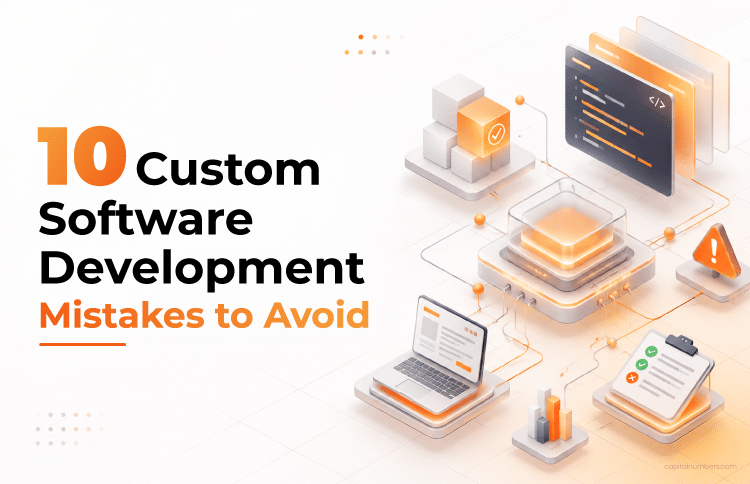
10 Custom Software Development Mistakes That Get Expensive Fast – And How to Avoid Them
Table of Contents
A custom software project rarely fails all at once. It falters in stages. A discovery phase that got skipped to hit a deadline. A Slack message that added a feature nobody priced. An AI prototype that impressed in the demo and broke in production. A handover where ownership was assumed, not assigned.
Each decision looked reasonable at the time. The cost shows up later.
Custom software development is different from buying an off-the-shelf product. It’s built around your specific workflows, your systems, and your operating model. That precision is what makes it powerful – and what makes every misstep more costly. A decision that seems minor in week one can ripple through data flows, integrations, security controls, and infrastructure in ways a generic tool never would.
These software development mistakes show up across projects of every size and budget. They’re well-documented. And almost all of them are preventable – if you know what to look for before the build begins.
1. Jumping Into Development Without a Discovery Phase
Skipped discovery never looks risky at the beginning. Budget is approved, the team is ready, and everyone wants momentum. But a wrong assumption in week one can affect the data model, AI logic, integration design, and testing strategy for the entire project. By the time the gap surfaces, it’s an architecture problem, not a requirements problem.
Let’s say a healthcare company decides to build an internal AI chatbot. The budget clears in week two. By month four, they have a working product, and employees still open five browser tabs to find basic information. What they needed was a searchable knowledge base, not a bot. But even though the chatbot works fine, it solves the wrong problem.
Run Discovery Before You Commit to a Timeline
- Validate real user workflows before building features.
- Align stakeholder priorities up front so the team isn’t reconciling conflicting expectations mid-sprint.
- Check technical feasibility and data dependencies before they become sprint-one surprises.
- Define success in numbers before anyone writes code.
2. Scope Creep That Nobody Catches in Time
For any custom software development project, scope creep doesn’t seem like a pitfall. It doesn’t usually come as a formal change request, but a Slack message:
“Can we add a small export button?”
Then a dashboard tab. Then a Slack notification hook. Each of these uncontrolled changes consumes developer time, delays delivery, and ultimately increases project costs.
A CRM project that starts with contact management picks up analytics, approval workflows, and role-based permissions, one quick add at a time. By the sixth month, the project has doubled. It was not because of a single decision but because of dozens of small, unpriced ones.
Lock Scope Before Sprint One, Not After
- Establish a formal change-control process for evaluating new requests.
- Protect engineering capacity by requiring all work to pass through prioritization before reaching developers.
- Make stakeholders explicitly approve the budget, timeline, or scope impact of every change request.
- Regularly review the roadmap to ensure new requests support business objectives rather than short-term preferences.
3. Building for Today, Not for Scale
Companies often make one of these two common scaling mistakes during software development. They either build too little and outgrow the system quickly, or build too much and spend months solving problems they don’t yet have. Both consume time, budget, and engineering effort without delivering business value.
A RAG system that works perfectly for 500 users may struggle at 5,000, with slower responses, rising infrastructure costs, overloaded vector databases, and declining output quality. Yet overengineering is no better. Teams that spend months designing for massive scale before validating demand often discover they’ve optimized for growth that never arrived.
The better question isn’t just “will this scale?” It’s “what will it cost when it does, and have we earned the right to plan for that?”
Test Load Before You Design for It
- Validate demand before investing in architecture built for growth that hasn’t happened.
- Run load tests before production, not after a user complaint reveals the bottleneck.
- Model cloud costs alongside performance. A system can scale technically while becoming financially unsustainable.
- Base autoscaling rules on real traffic projections, not estimates.
4. Treating Security as an Afterthought
Security follows the same pattern as scope creep. It’s a software development challenge when companies postpone it until the end of the project. A breach doesn’t ask whether the vulnerability came from a developer or a model.
AI tools accelerate development velocity. But they also open new attack surfaces, such as prompt injection, data poisoning, and over-permissioned agents. Traditional security reviews weren’t built to catch any of that.
The numbers make the stakes concrete. Veracode’s 2025 GenAI Code Security Report tested more than 100 large language models and found that 45% of AI-generated code samples failed security tests and introduced OWASP TOP 10 vulnerabilities. When shipping pressure is high, governance moves to the end of the roadmap. But at the last stage of development, it’s not just an engineering problem, but also a compliance and legal one.
Threat-Model AI Features Before Development Starts
- Ask the team to threat-model every AI feature before development starts, including prompts, model outputs, data access, and agent actions.
- Make least-privilege access a requirement. AI agents should not be able to trigger sensitive actions without approval gates.
- Expect validation layers for AI inputs and outputs, especially where prompt injection, data leakage, hallucination, or unsafe responses could affect users.
- Require AI-generated code to pass the same review gates as human-written code, including SAST, dependency scanning, secrets checks, and human code review.
- Confirm that AI behavior will be monitored after launch, not just tested before release.
5. Poor Vendor or Partner Selection
A poor vendor choice can create problems that last long after the project is delivered. Many companies focus on pricing or aggressive timelines, only to discover later that they’ve inherited missed deadlines, quality issues, weak documentation, and technical debt.
The first few sprints may look fine. The real cost appears at handover, when internal teams struggle with undocumented code, integration challenges, or unclear ownership and support responsibilities. Weak contracts can further expose the business to security, compliance, and IP risks.
Evaluate Process, Not Just Portfolio
- Evaluate delivery discipline. How they run discovery, CI/CD, security, and code review matters more than their hourly rate.
- Ask for references from comparable projects, not just portfolio projects.
- Review how the vendor communicates and documents work. Regular updates, clear documentation, and knowledge transfer reduce long-term operational risk.
- Confirm IP ownership, data security terms, and post-launch support in writing before signing.
Vetting a partner’s process may take weeks, but it is one of the best software development practices for your project in the long run.
6. Neglecting Data Quality Before AI Integration
Pick the wrong model, and you can swap it out. Ship on bad data, and you’re retrofitting for months.
Most teams building AI features spend their early energy on model selection – which LLM, which vector approach, which architecture? Models are visible. Data pipelines are not. But messy, duplicated, or poorly labeled data will undermine even a well-chosen model. When outputs are inconsistent, users don’t blame the pipeline. They lose confidence in the product.
A logistics company builds an AI assistant for operations staff. The model is solid. But the underlying data has duplicate shipment records, inconsistent field names across legacy systems, and statuses that haven’t been updated in days. The assistant returns stale, contradictory answers. Staff go back to calling suppliers directly. The feature is abandoned within two months.
The fix rarely requires a better model. It requires cleaner data going in.
Audit the Data Before You Touch the Model
- Treat data quality as a prerequisite, not a cleanup task. A two-week audit before development is far cheaper than a three-month remediation after launch.
- Check for completeness, duplicates, stale records, and labeling gaps before scoping any AI feature.
- Review schema consistency across source systems. Three systems using three different names for the same field is a problem that needs to be resolved before any model sees it.
- Confirm access permissions and data governance requirements early – especially in regulated industries where residency and consent rules affect what can be fed into a model.
- Validate the data feeding LLMs, vector search, or recommendation models before development starts, not after the first round of complaints.
7. The Prototype-to-Production Trap
An AI document assistant handles 100 clean demo files without a fault. In production, users upload incomplete scans, duplicate records, conflicting versions, and badly formatted exports. That’s when hallucinations spike, cloud costs climb, and support queues fill.
A prototype proves the possibility. Production requires tolerance for failure. The hard part isn’t calling an API or generating a demo output. It’s building the layer that handles latency, non-deterministic behavior, edge cases, and failure recovery under real load. A demo working 95% of the time is solid proof of concept. Because in production, that remaining 5% fills a support queue.
Separate Prototype Budget from Production Engineering
- Test with messy, real-world data, not curated demo samples.
- Separate prototype budget from production engineering budget. They’re different problems.
- Add fallback logic and deterministic rules for high-risk flows.
- Set usage guardrails before launch, not after the first cost spike.
8. Underestimating Legacy Integration
Custom software connects to ERPs, CRMs, payment systems, and identity providers, many of which still run on older .NET services, legacy SQL instances, or mainframes that predate the current team. Modern AI features need clean, real-time data that the old systems weren’t built to deliver on demand.
This is a major challenge in custom software development projects that actually stay hidden. In fact, the average global enterprise’s loss from legacy-system inefficiencies and technical debt amounts to millions each year. Most of it traces back to integration complexity that nobody scoped before the build began. The integration looks like a single line on an architecture diagram. It turns into months of delivery work.
Run a Technical Spike Against Real Data in Sprint One
- Run a technical spike in the first sprint against realistic data volumes, not best-case API documentation.
- Map batch jobs, stored business logic, and backend dependencies before finalizing timelines.
- Use middleware or adapter layers to decouple new systems from legacy platforms.
- For critical systems, consider the Strangler Pattern: replace old components gradually rather than forcing a full migration at once.
9. No Rollback Plan or Monitoring After Launch
A prototype proves the possibility. Production requires tolerance for failure. The hard part isn’t calling an API or generating a demo output. It’s building the layer that handles latency, non-deterministic behavior, edge cases, and failure recovery under real load. A demo working 95% of the time is solid proof of concept. Because in production, that remaining 5% fills a support queue. A prototype proves the possibility. Production requires tolerance for failure. The hard part isn’t calling an API or generating a demo output. It’s building the layer that handles latency, non-deterministic behavior, edge cases, and failure recovery under real load. A demo working 95% of the time is solid proof of concept. Because in production, that remaining 5% fills a support queue.
Most launch checklists cover features, not failure. Teams verify that the product works – they rarely plan in detail for what happens when it doesn’t.
Without monitoring and alerting in place from day one, your users become your alerting system. The first sign that something is wrong is a support ticket, not a dashboard. By then, the problem has already been affecting real users for an unknown length of time.
With AI features, this gap is harder to close after the fact. A model can start returning lower-quality outputs without triggering any application error. There’s no stack trace for a hallucination. Guardrails can degrade silently. Unless you’re watching for these patterns specifically, you won’t catch them until a user notices – or worse, until a decision gets made on bad AI output.
Monitoring and rollback planning are not post-launch tasks. They’re delivery requirements that need to be scoped, built, and tested before go-live.
Build Monitoring Into the Delivery Definition
- Define what ‘healthy’ looks like for your system before you launch – response times, error rates, AI output quality – so you know immediately when something drifts outside acceptable bounds.
- Set up logs, alerts, and dashboards as part of the delivery scope, not as a follow-up item. If it isn’t built before go-live, it probably won’t get built.
- For AI features, monitor specifically for output drift, hallucinations, and guardrail failures – not just system errors and uptime.
- Use phased releases (rolling out to a small group first) for higher-risk features, so that a problem affects as few users as possible before you catch and fix it.
- Set hard limits on any AI-driven action that carries real-world consequences – approve gates for financial transactions, pricing changes, or anything that can’t easily be undone.
10. Unclear Ownership After Handover
A product without a clear owner doesn’t stay stable. It drifts. Patches go unapplied. Alerts go unread. Documentation goes stale. Certificates expire quietly. Nothing breaks dramatically – the system just becomes harder to maintain and riskier to touch, until it’s the legacy problem the next project has to work around.
This rarely gets flagged during the build. Ownership conversations get deferred until after launch, and then the team moves on. Nobody deliberately left the product unattended. It just happened because accountability was assumed, not assigned.
A mid-size retailer launches a custom inventory system. The build goes well. Six months later, a critical supplier integration starts failing silently. No alert fires because nobody owns the alert. By the time operations notices came in, two weeks of inaccurate stock data had already affected purchasing. The fix takes a day. The fallout takes a month.
Build Ownership Before the Final Invoice
- Assign named owners – not teams, specific people – for product decisions, technical maintenance, incident response, and release approvals before the final milestone is signed off.
- Define what each owner is responsible for. ‘SLA breaches’ means something different to a product owner than to a DevOps engineer. Make it explicit, not assumed.
- Build knowledge transfer, runbooks, and environment documentation into the delivery scope as a required deliverable. If only the team that built it understands it, you have a dependency, not a product.
- Agree on a minimum maintenance cadence: who reviews security patches, who monitors performance, who checks for dependency updates, and how often.
Ownership is a launch requirement. Treating it as a post-launch courtesy is how good software becomes legacy debt.
How to Recover If You’ve Already Made These Software Development Mistakes
If you’re already dealing with one or more of these custom software development mistakes, a full rebuild isn’t the only option. In most cases, the better approach is to pause, diagnose the underlying issues, and create a targeted recovery plan before costs escalate further.
For instance:
- Freeze non-essential scope changes until the current risk is fully understood.
- Run a technical audit covering architecture, security, integrations, testing, monitoring, and documentation.
- Separate urgent production risks from long-term technical debt you can address over time.
- Assign explicit ownership for remediation, incident response, and decision-making.
- Rebuild the roadmap around verified business priorities, not the assumptions made at kickoff.
The worst move is to keep shipping features while the foundation is unstable. Once the gap is named clearly, the fix is usually smaller, faster, and cheaper than waiting for it to become a production outage.
Conclusion
The pattern across all ten mistakes is the same. A decision that seemed reasonable – or just unavoidable – at the time creates a cost that shows up later. Discovery skipped to keep momentum becomes an architecture rewrite. Scope added without a change process becomes a delayed launch. Security deferred to maintain velocity becomes a compliance event. Ownership assumed, not assigned, becomes a liability.
None of this requires perfection at every stage. Some tradeoffs are deliberate. The difference is whether the risk is named and owned, or quietly carried forward.
Catching these gaps early – when the codebase is small, contracts are still being negotiated, and decisions are still reversible – is almost always faster and cheaper than fixing them in production. Waiting is consistently the most expensive option.
If you’re already dealing with one or more of these, a full rebuild is rarely the answer. Name the gap clearly. The fix is usually smaller than it looks.


 Web Development
 Cloud Engineering
 Mobile App Development
 AI/ML/GenAI
 E-commerce
 Software Development
 UI/UX
UI/UX QA
QA Dedicated Teams