
What Is Serverless Computing? How It Works, Benefits, and When to Use It
Table of Contents
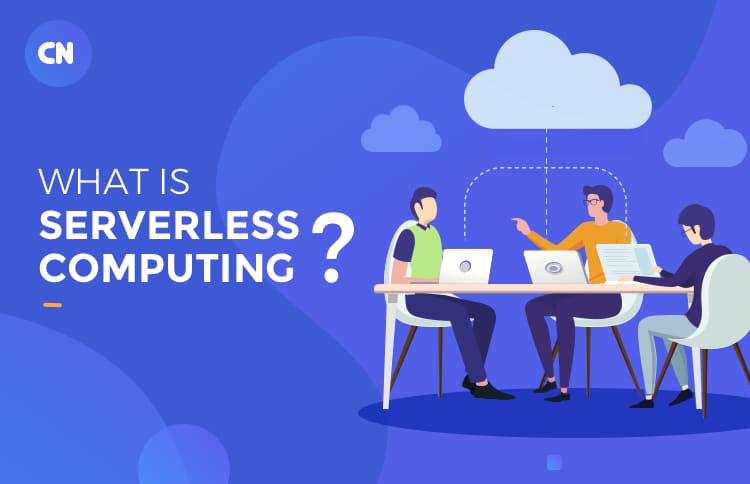
Serverless computing is a cloud model in which the provider manages infrastructure, scaling, and operational maintenance, so teams can focus on building and running applications rather than configuring servers. Developers write and deploy code, but skip the work of provisioning virtual machines, applying OS patches, or planning capacity.
The name is a little misleading. Servers still exist; the difference is that cloud providers manage them, and the business consumes compute as a service rather than as infrastructure it has to operate. Platforms like AWS Lambda, Google Cloud Functions, and Azure Functions have made this model mainstream. In 2026, it extends further — to serverless containers, edge runtimes, and event-driven backend workflows that run without always-on infrastructure.
That does not make serverless the right choice for every workload. For businesses that want faster delivery, lower infrastructure overhead, and better handling of variable demand, it can be a strong fit. For others, it introduces tradeoffs around control, latency, and cost that point toward a different model. This article explains how serverless works, where it adds value, where it falls short, and how to evaluate it for your architecture.
How Does Serverless Computing Work?
Serverless works by running code only when it is triggered. A request, file upload, database event, queue message, scheduled task, or application action activates a function or service. The cloud platform allocates compute, runs the task, and scales usage up or down automatically based on demand. When there is no activity, nothing runs or is charged.
A serverless application typically combines several managed components:
- API endpoints that trigger functions on incoming requests
- Event sources — queues, storage buckets, database streams, scheduled jobs
- Managed databases or storage that the functions read from and write to
- Authentication and access controls
- Observability tooling — logs, traces, and alerts
In 2026, the model has expanded beyond basic function-as-a-service. Many teams use serverless containers (such as AWS Fargate or Google Cloud Run) for workloads that need greater runtime flexibility, and edge runtimes (such as Cloudflare Workers or Vercel Edge Functions) for logic that benefits from execution closer to users. These options share the same core principles, such as managed infrastructure and on-demand execution, while extending what serverless can support.
What Are the Key Benefits of Serverless Computing?
The practical advantages of serverless center on three things: less time spent on infrastructure, faster delivery, and scaling that responds automatically to demand. Here is how each plays out in practice:
- Automatic scaling without manual intervention. The platform responds to demand in real time, scaling up during traffic spikes and back down when demand drops, without capacity planning or manual intervention.
- Less time managing infrastructure. Teams spend less time on patching, provisioning, and maintenance, and more time building and improving the product.
- Faster time to market. With infrastructure work removed from the critical path, teams can ship APIs, background jobs, and automation workflows faster.
- Cost efficiency for variable workloads. When usage is low or sporadic, serverless reduces idle infrastructure costs. When usage is low or sporadic, serverless reduces idle infrastructure costs. For internal tools, batch jobs, and new products with uncertain traffic, the usage-based model is a natural fit. For constant heavy workloads, costs need to be modeled before committing.
- A natural fit for modern application patterns. APIs, automation, background processing, and event-driven pipelines are the building blocks of most modern digital products, and serverless is designed around them.
What Are the Limits and Tradeoffs of Serverless?
Serverless reduces infrastructure work, but it introduces specific tradeoffs that matter for real-time systems, long-running workloads, and applications with strict cost or compliance requirements.
Less Control Over the Runtime Environment
Teams have less control over networking, system-level configuration, and the execution environment than they would with containers or virtual machines. If your workload needs custom OS settings, persistent sockets, or specific hardware, serverless is usually not the right fit.
Cold Starts and Latency Variability
When a serverless function has not been invoked recently, the platform may take a moment to initialize it — a delay known as a cold start. For many APIs, this is acceptable, but for real-time financial systems, gaming, or trading workloads, even small latency variability can be a problem. Most major platforms now offer mitigations: AWS Lambda SnapStart and provisioned concurrency significantly reduce cold-start delays, and Cloudflare Workers operates on a model that largely eliminates them. Even so, it is worth testing under a realistic load before committing.
Execution and Resource Limits
Serverless platforms cap how long a function can run and how much memory or concurrency it can use. Functions that run for more than a few minutes, or workloads that require sustained memory, often run up against these limits and require a different architecture.
Debugging and Observability Complexity
As serverless systems grow, they become more distributed and event-driven. Tracing a problem across multiple functions and services is harder than debugging a monolithic application. This is manageable, but it requires deliberate investment in logging, tracing, and alerting from early in the build.
Security and Governance Still Require Active Attention
Serverless reduces infrastructure work but does not remove security responsibility. Access controls, secret management, dependency hygiene, logging, and data-handling policies still apply, and, in some ways, require more thought, because permissions and data flows span more services. This matters even more in regulated environments, customer-facing systems, and AI workflows where data access needs close oversight.
Serverless vs Containers vs Traditional Hosting
Serverless, containers, and traditional hosting can all run production applications, but they differ significantly in control, scaling behavior, and operational effort. The right choice depends on the workload, performance requirements, and how much infrastructure the team wants to manage.
| Aspects | Serverless | Containers | Traditional Hosting |
|---|---|---|---|
| Best for | Event-driven and variable workloads | Flexible modern applications | Stable long-running workloads |
| Infrastructure management | Low | Medium | High |
| Scaling | Automatic | Configurable | Mostly manual or fixed |
| Runtime control | Limited | High | Full |
| Cost pattern | Usage-based | Depends on setup and usage | Ongoing server cost |
| Deployment speed | Fast | Moderate | Slower |
| Operational effort | Low | Medium | High |
In practice, most mature architectures combine more than one model — using serverless for event-driven and variable workloads, containers for services that need more runtime control, and traditional or managed hosting for stable long-running processes. Teams evaluating where serverless fits within a broader cloud transformation strategy will find that the decision rarely sits in isolation — it usually connects to architecture, migration, and governance choices that span the full stack.
Is Serverless Right for Your Business? A Decision Framework
The best way to evaluate serverless is to ask one honest question: does this workload suit on-demand execution? The table below makes the decision more concrete.
| Question | Serverless works well when… | Consider alternatives when… |
|---|---|---|
| Is traffic variable or unpredictable? | ✅ Handles spikes automatically without pre-provisioning. | ❌ Constant high usage may make reserved capacity more cost-effective. |
| Do you need deep runtime control? | ✅ Standard runtimes meet your needs and remove operational overhead. | ❌ Custom OS, persistent sockets, or specific hardware needed. |
| How fast does the team need to ship? | ✅ Removes infrastructure setup time and shortens release cycles. | ❌ The deployment process is already mature; time savings may be minimal. |
| Can you absorb cold-start latency? | ✅ Small startup delays are acceptable for most APIs. | ❌ Real-time financial, gaming, or trading workloads cannot tolerate latency variability. |
| Are tasks short-lived or event-driven? | ✅ Tasks that start, complete work, and exit are a natural fit. | ❌ Long-running jobs often exceed execution limits and need a different model. |
| Is cost predictability important? | ✅ Usage-based billing is easier to justify when demand varies. | ❌ Steady, high-throughput workloads can cost more on serverless than reserved capacity. |
The better choice usually becomes clear when you look at how the workload actually behaves, not at what is trending. If the answer is mostly in the green column, serverless is worth a closer look. If it skews red, containers or managed hosting will likely serve you better.
Best Practices for Building on Serverless in 2026
Getting the most out of serverless means designing for the model deliberately, not treating it like traditional hosting with automatic scaling bolted on.
- Keep functions small and focused. A function that does one thing is easier to test, faster to cold-start, and simpler to debug. If a function is growing large or becoming difficult to reason about, break it into smaller, single-purpose units.
- Design around events, not always-on state. Serverless works best when each invocation is self-contained. Avoid relying on in-memory state between calls — use a database, cache, or message queue for anything that needs to persist across invocations.
- Plan for scale from day one — including downstream dependencies. Serverless scales automatically, but the databases, third-party APIs, and rate-limited services it calls may not. A burst of concurrent function invocations can overwhelm a database connection pool that was never designed for that volume.
- Instrument everything early. As serverless systems grow, it becomes harder to trace activity across functions and workflows. Logging, distributed tracing, and alerting should be built in from the start — not added later when something breaks in production.
- Review cost and usage regularly. Serverless billing is granular, which is an advantage until runaway functions or inefficient retry loops quietly accumulate cost. Regular IT infrastructure optimization helps teams spot waste, improve performance, and keep cloud spending aligned with actual workload behavior.
- Match the workload to the model. The teams that get the most value from serverless are those who use it deliberately – for event-driven, variable, or short-lived work – and reach for containers or VMs when the workload calls for it. Serverless is a tool, not a default.
Evaluating Serverless for Your Architecture?
Serverless can be a strong fit for the right workload — but the right fit depends on how your application behaves, what performance it requires, and how much control your team needs over the environment. Getting that assessment wrong early tends to create rework later.
Work with Capital Numbers
If you are exploring serverless for a new product,a modernization effort or an event-driven architecture, our engineers can help you evaluate trade-offs and choose an approach that aligns with your goals. Get in touch at capitalnumbers.com/contact-us.
Frequently Asked Questions About Serverless Computing
1. What does pay-as-you-go mean in serverless computing?
In serverless, you are billed based on actual usage — the number of function invocations and the compute time consumed — rather than paying for server capacity that runs continuously. When nothing is executing, there is nothing to pay for. This makes it cost-efficient for workloads with variable or unpredictable demand, though high-throughput steady workloads can cost more than reserved capacity.
2. Is serverless computing cost-effective?
It depends on the workload. Serverless is cost-effective when demand is variable, event-driven, or intermittent — you pay only for what you use. For applications with constant heavy traffic or long-running processes, the cost can exceed what reserved or container-based infrastructure would cost. Always model costs against your expected usage pattern before committing.
3. When should you not use serverless?
Serverless is a poor fit for workloads with constant heavy usage, long-running processes (beyond a few minutes), very strict low-latency requirements, complex stateful operations, or needs for deep runtime customization. In those cases, containers or managed hosting typically offer better performance, control, and predictability.
4. What is the difference between serverless and cloud computing?
Cloud computing is the broader category – it includes virtual machines, managed databases, storage, containers, and much more. Serverless is a cloud-computing model that runs code and services without managing underlying servers. All serverless platforms run on cloud infrastructure, but not all cloud usage is serverless.
5. What are the most widely used serverless platforms?
The most widely adopted serverless platforms for function-based workloads are AWS Lambda, Google Cloud Functions, and Azure Functions. For serverless containers, AWS Fargate and Google Cloud Run are commonly used. For edge execution, Cloudflare Workers and Vercel Edge Functions are popular options. The right choice typically depends on your existing cloud environment and the nature of the workload.

 Web Development
 Cloud Engineering
 Mobile App Development
 AI/ML/GenAI
 E-commerce
 Software Development
 UI/UX
UI/UX QA
QA Dedicated Teams