
Salesforce App Development: Creating Custom Solutions

Salesforce Developer
23rd December, 2025
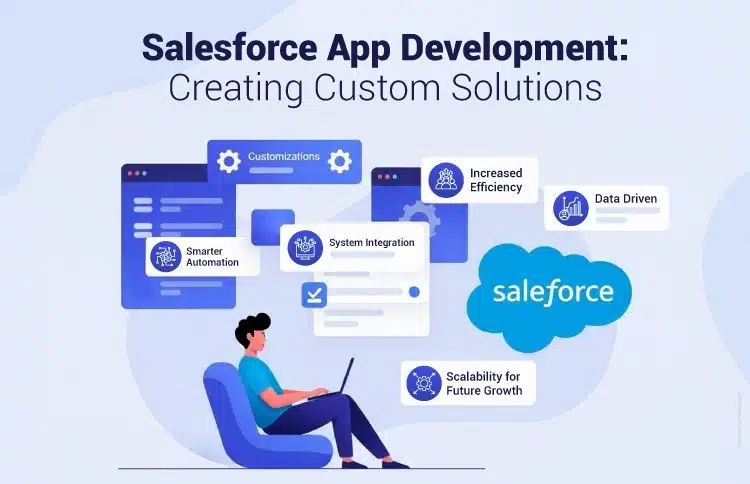
In our rapidly evolving digital landscape, businesses are constantly seeking smarter ways to operate, collaborate, and engage with their customers. Among the myriad of digital tools, Salesforce shines as one of the most robust and reliable Customer Relationship Management (CRM) platforms globally. It empowers organizations to streamline their processes, enhance customer interactions, and elevate productivity. What really makes Salesforce stand out is its incredible flexibility — the capability to create custom applications tailored to your organization’s specific goals and workflows. Salesforce App Development allows businesses to craft solutions that extend well beyond the typical CRM features, facilitating automation, integration, and large-scale innovation. In this blog, we’ll dive into how Salesforce app development drives business growth, the tools and technologies that come into play, and why custom solutions are paving the way for the future of enterprise operations.
Getting to Know Salesforce App Development
Salesforce App Development involves creating custom applications within the Salesforce ecosystem to address particular business needs. These applications can vary from straightforward automation tools to intricate systems that connect with various platforms. Salesforce offers two primary methods for app development:
- Low-code (Declarative) Development: With user-friendly tools like App Builder, Flow Builder, and Process Builder, users can create functional apps without needing to write any code.
- Pro-code (Programmatic) Development: For those seeking advanced features, developers can utilize Apex (Salesforce’s programming language), Visualforce, and Lightning Web Components (LWC) to build scalable and dynamic applications.
Custom apps can be designed for internal use or made available to the public on Salesforce AppExchange, the premier marketplace for business applications.
Why Custom Salesforce Apps Are a Game-Change
Salesforce comes packed with a ton of features right out of the box, but let’s face it: every organization has its own unique way of doing things. That’s where custom app development steps in, bridging the gap between Salesforce's general capabilities and your business's specific needs, ensuring it really works for you.
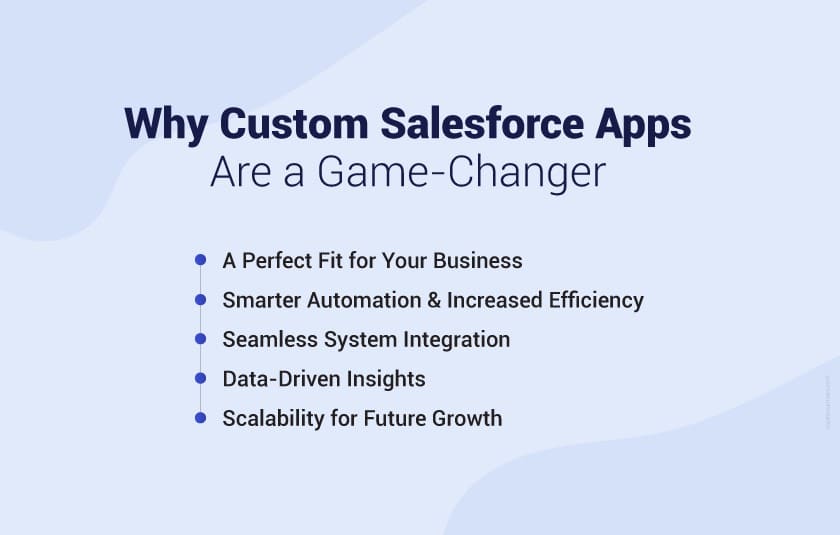
1. A Perfect Fit for Your Business
Think of a custom app as a tailored suit for your workflows, data structures, and business rules. It’s designed to fit how your teams operate, rather than making you bend to fit into pre-existing features.
2. Smarter Automation and Increased Efficiency
Custom apps can take care of those repetitive tasks that eat up your time, like sending notifications, generating reports, or updating records. This not only saves time and cuts down on errors but also frees your team to focus on the more important stuff.
3. Seamless System Integration
Most businesses juggle multiple platforms—accounting software, ERPs, marketing tools, and so on. With Salesforce’s APIs and integration options, your custom app can link all these systems together, giving you a cohesive view of your data.
4. Data-Driven Insights
With custom reports and dashboards, you get insights tailored to your business goals. This empowers decision-makers to spot trends, assess performance, and make quicker, smarter choices.
5. Scalability for Future Growth
Salesforce custom apps are designed to grow alongside your business. As new departments, markets, or products come into play, you can easily expand your app’s capabilities without needing a complete overhaul.
Key Components of Salesforce App Development
Before diving into building a custom app, it’s crucial to grasp the key tools and technologies that make Salesforce development so effective:
1. Salesforce Platform
This is the backbone of all Salesforce app development—a cloud-based platform celebrated for its security, flexibility, and scalability.
2. Apex
Apex is Salesforce’s own programming language. It empowers developers to craft complex logic, automate business rules, and manage backend operations seamlessly.
3. Lightning Web Components (LWC)
Lightning Web Component empower developers to create modern, reusable, and high-performance user interfaces, making sure that applications not only look great but also feel responsive and up-to-date.
4. AppExchange
Salesforce AppExchange serves as a vibrant marketplace where businesses can discover ready-made apps or showcase their own creations. It’s an excellent spot to see how others are utilizing custom Salesforce solutions.
5. APIs and Integrations
Salesforce offers REST, SOAP, and Bulk APIs, which facilitate smooth data sharing with external systems. This capability helps in building a connected and efficient digital ecosystem.
The Salesforce App Development Process
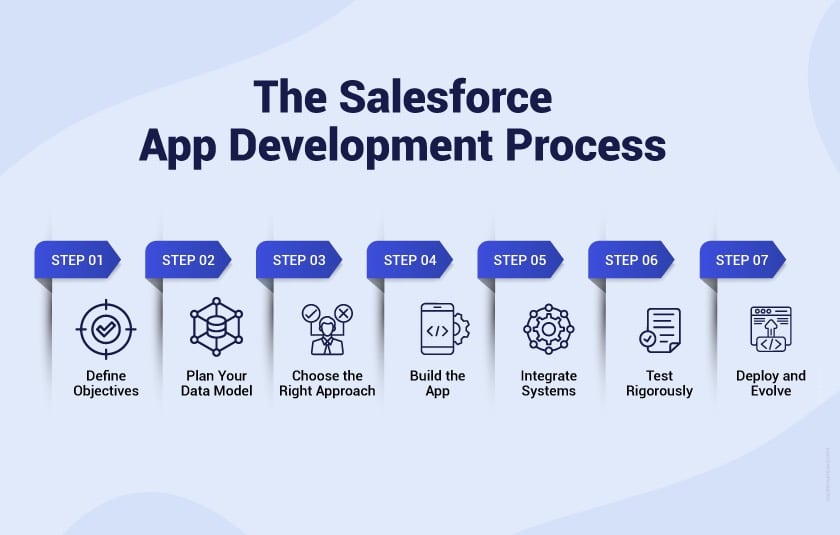
Creating a custom Salesforce app follows a straightforward process that ensures everything aligns with your business objectives and technical best practices.
Step 1: Define Objectives
Begin by clarifying what you want your app to accomplish. Are you looking to automate a process, enhance customer service, or link various systems? Having a clear goal will steer your development choices.
Step 2: Plan Your Data Model
Determine which data objects you’ll utilize. You might choose to work with Salesforce’s standard objects (like Accounts, Contacts, and Opportunities) or develop custom ones tailored for specific data needs.
Step 3: Choose the Right Approach
- Low-code: Perfect for quick builds and straightforward automation.
- Pro-code: Ideal for intricate workflows and integrations using Apex and LWC.
Step 4: Build the App
Design the interface and functionality using Lightning App Builder, Apex, and LWCs. Make sure the user experience is seamless and fits well with your team’s workflow.
Step 5: Integrate Systems
If your business relies on external tools, link them through APIs or middleware solutions like MuleSoft. This ensures smooth communication across different platforms.
Step 6: Test Rigorously
Utilize Salesforce Sandboxes for thorough testing and quality assurance before launching. Confirm both functionality and performance are up to par.
Step 7: Deploy and Evolve
Once your app is up and running, it’s crucial to keep an eye on feedback and performance. Thanks to Salesforce’s flexibility, you can easily tweak and enhance features as needed.
Real-World Use Cases of Custom Salesforce Apps
Companies from various sectors are leveraging custom Salesforce apps to tackle their unique challenges. Here are some standout examples:
- Sales Management App: This tool simplifies lead tracking, forecasting, and performance analytic.
- Customer Support Portal: It allows customers to submit tickets and receive real-time updates.
- Field Service Management App: This app efficiently schedules and monitors field technicians.
- Project Management Solution: It helps track milestones, resources, and timelines.
- Partner Management Portal: This strengthens collaboration with distributors and resellers.
Each of these applications showcases how adaptable Salesforce is, transforming specific business needs into practical, scalable solutions.
Best Practices for Salesforce App Development
To ensure your app runs smoothly and stays secure, keep these best practices in mind:
- Keep It Simple: Begin with the core features and expand as necessary.
- Focus on Security: Utilize profiles, permission sets, and role hierarchies to safeguard your data.
- Write Efficient Code: Optimize your queries and steer clear of unnecessary logic to maintain performance.
- Use Sandboxes for Testing: Always test in a sandbox environment, not directly in production.
- Stay Up-to-Date: Salesforce updates its platform three times a year—make sure your app stays aligned with the latest features and compliance standards.
The Future of Salesforce App Development
Salesforce is constantly evolving, integrating AI, automation, and data intelligence to reshape what businesses can achieve. With the introduction of tools like Einstein AI, Flow Orchestration, and Data Cloud, apps are becoming more predictive, automated, and intelligent than ever before.
Looking to build a Salesforce app tailored to your business workflows?
Partner with Capital Numbers to design, develop, and scale custom Salesforce solutions that align with your data, users, and growth plans.

Shubham SaxenaSalesforce Developer
With 4.5 years of Salesforce development experience, Shubham helps businesses design and optimize Salesforce solutions that improve efficiency and support growth. At Capital Numbers, he focuses on customization, automation, and performance tuning to build reliable CRM applications that align with real-world workflows and user needs.