Loading page…

The client owns a SaaS-based building maintenance ticketing app that helps manage the influx of building maintenance requests or tickets in one place. The web app helps maintenance planners create tickets and assign maintenance activities to available field workers, who execute tasks and complete them on time. Planners and field workers can thus measure, monitor, and manage various maintenance activities and operations through this app.
Industry
Technology
Tech Stack
Country
UK
This building maintenance app was already up and running, but it lacked clear ticket workflows and lifecycles, which hampered resolution time. Building maintenance planners would raise tickets, but the lack of proper workflows would lead to increased downtime.
Due to unclear ticket workflows, planners and field workers would be left in ambiguity. Tickets wouldn’t get assigned to the right teams on time. There were no filters or sorting mechanisms to segment tickets by status, priority, or type. There were no reporting systems to measure maintenance operations. As a result, maintenance activities would stall. Productivities would drop. Unwanted costs would soar up. Buildings would be prone to risks and damages.
To end such maintenance chaos, the client contacted Capital Numbers and requested our team to enhance their app with new modules. Some of the requirements are as follows:

The client was impressed with Capital Numbers’ past projects and considered the best match to handle the above enhancements. The idea was to facilitate better ticket workflows, from work order creation and reporting to resolution, and reduce delays in maintenance work.
Capital Numbers began the project by studying the existing app features that were up and running. We then decided on robust tooling solutions because the app had to accommodate increasing maintenance requests or tickets. So, we chose .NET Core as the backend setup to accommodate hundreds of tickets or requests.
.NET Core is known for seamlessly managing large-scale operations. Moreover, we needed to add multiple features like work order creation, ticket workflow, ticket prioritization, advanced reports, analytics, etc. So, .NET Core was a perfect choice for all those critical integrations. Plus, .NET Core supports microservices. So, we developed and integrated each feature as a loosely connected service independent of the other. We made this provision to add modularity and let future developers configure each feature without tinkering with the whole app.
Next, we used ASP.NET Razor Views for the frontend as it allows developers to work on both HTML and server-side code in a single file. Razor Views helped us reduce the need for complex JavaScript and AJAX functions, as server-side code can directly manipulate the HTML. Razor Views also supports various templating features like loops and conditional statements, providing flexibility in rendering dynamic content experiences in the ticketing app.

Next, we used SQL as the database solution to store all the tickets. However, we chose MS Azure to manage file uploads because it helps store massive amounts of big-sized files on the cloud for hassle-free previewing and downloading.
For the reports and analytics, we chose Power BI. Visualizing any kind of data is easier with Power BI, which helps drill down into detailed data for custom insights. We also used Power BI as it connects to all data sources like SQL and Azure. Our ticketing app had both these data sources embedded, so with Power BI, we could fetch data from both these sources and facilitate analysis in one place.
Once we completed all the integrations, we made the application available on Git for the client to host on their preferred server. Our entire work was a one-year collaboration in which we implemented an Agile-based approach, dividing work into smaller sprints. By working in smaller sprints, we could iteratively refine each of our processes before moving on to the next, delivering excellent results to our client.


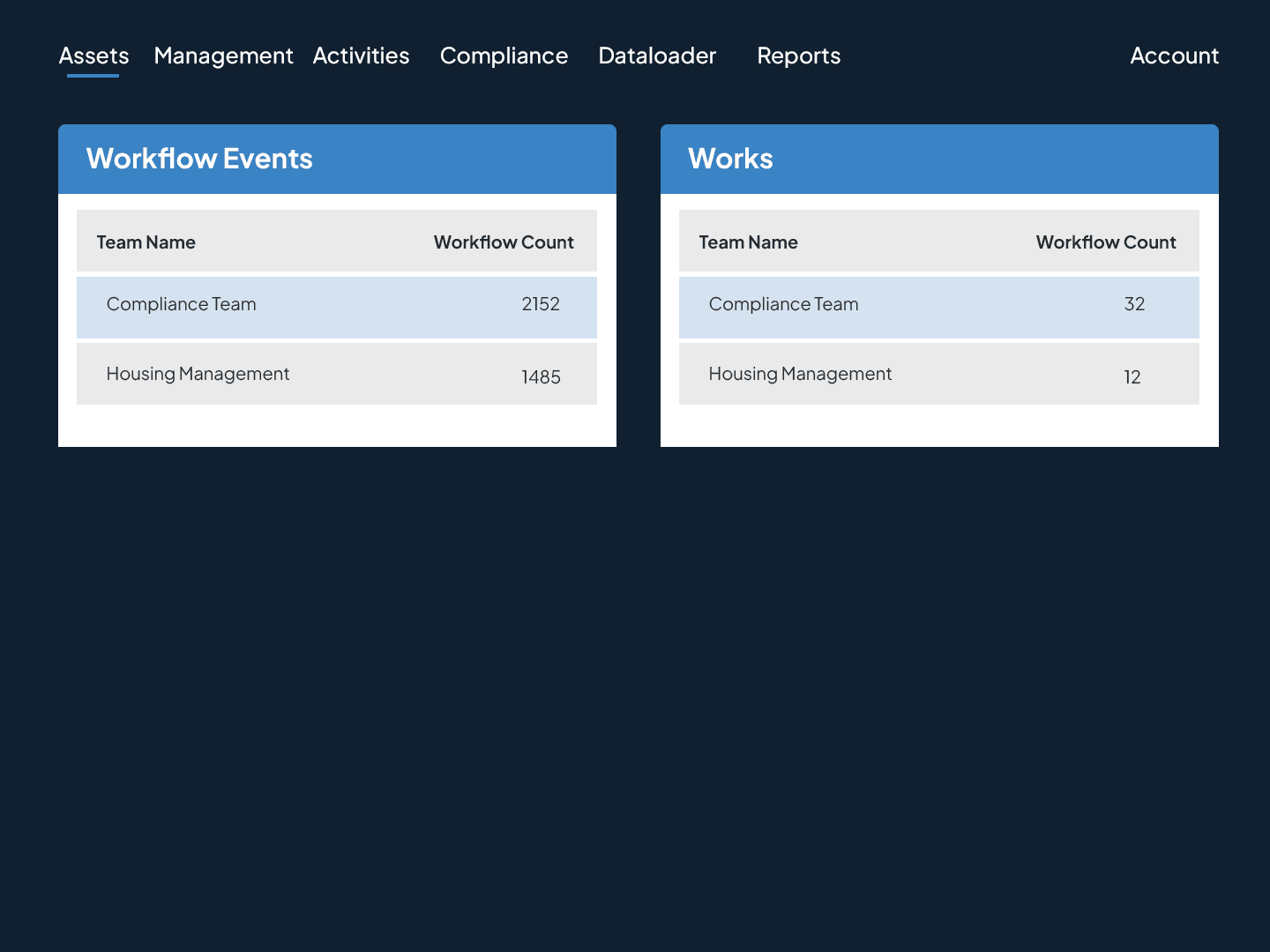
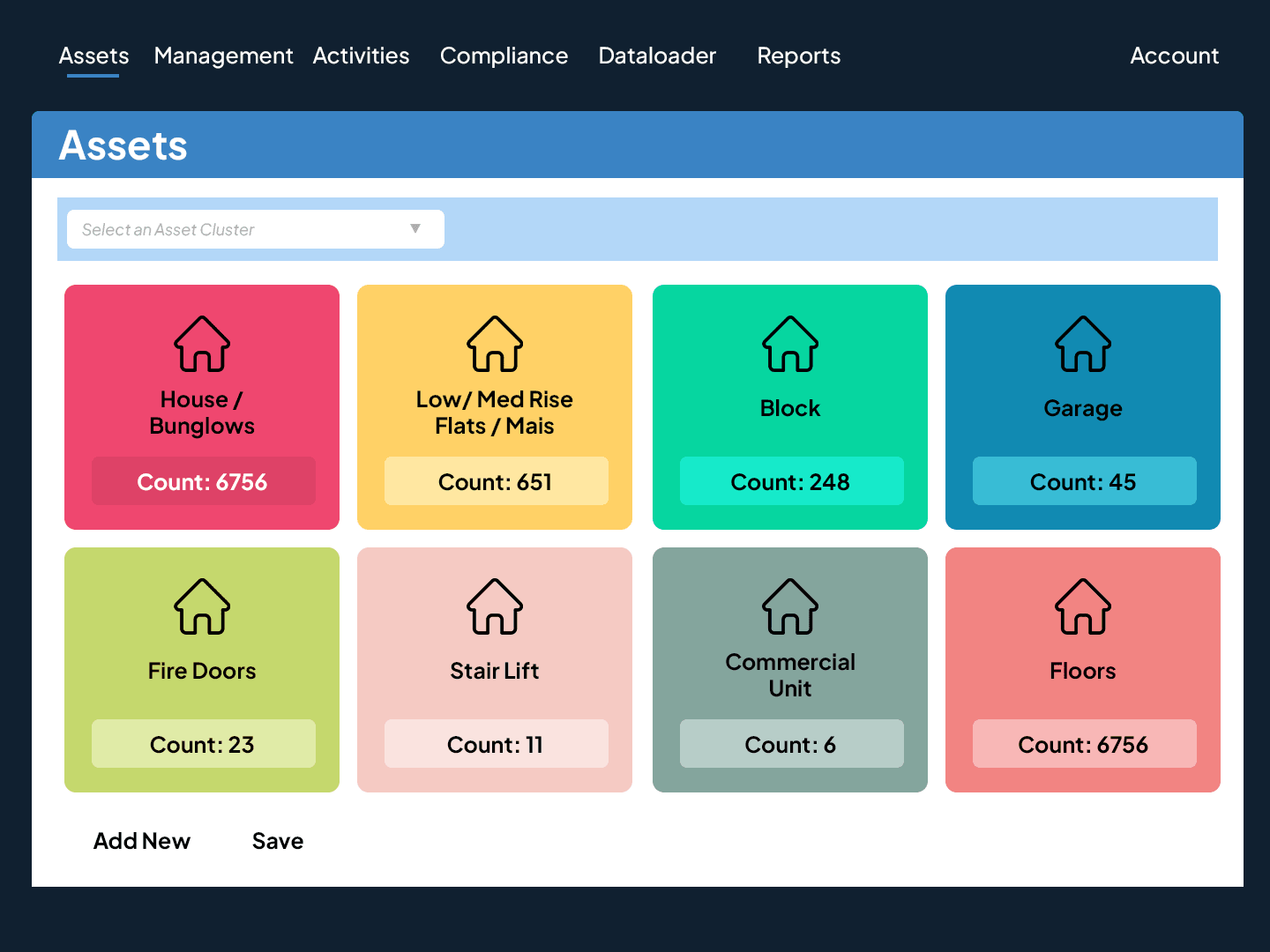
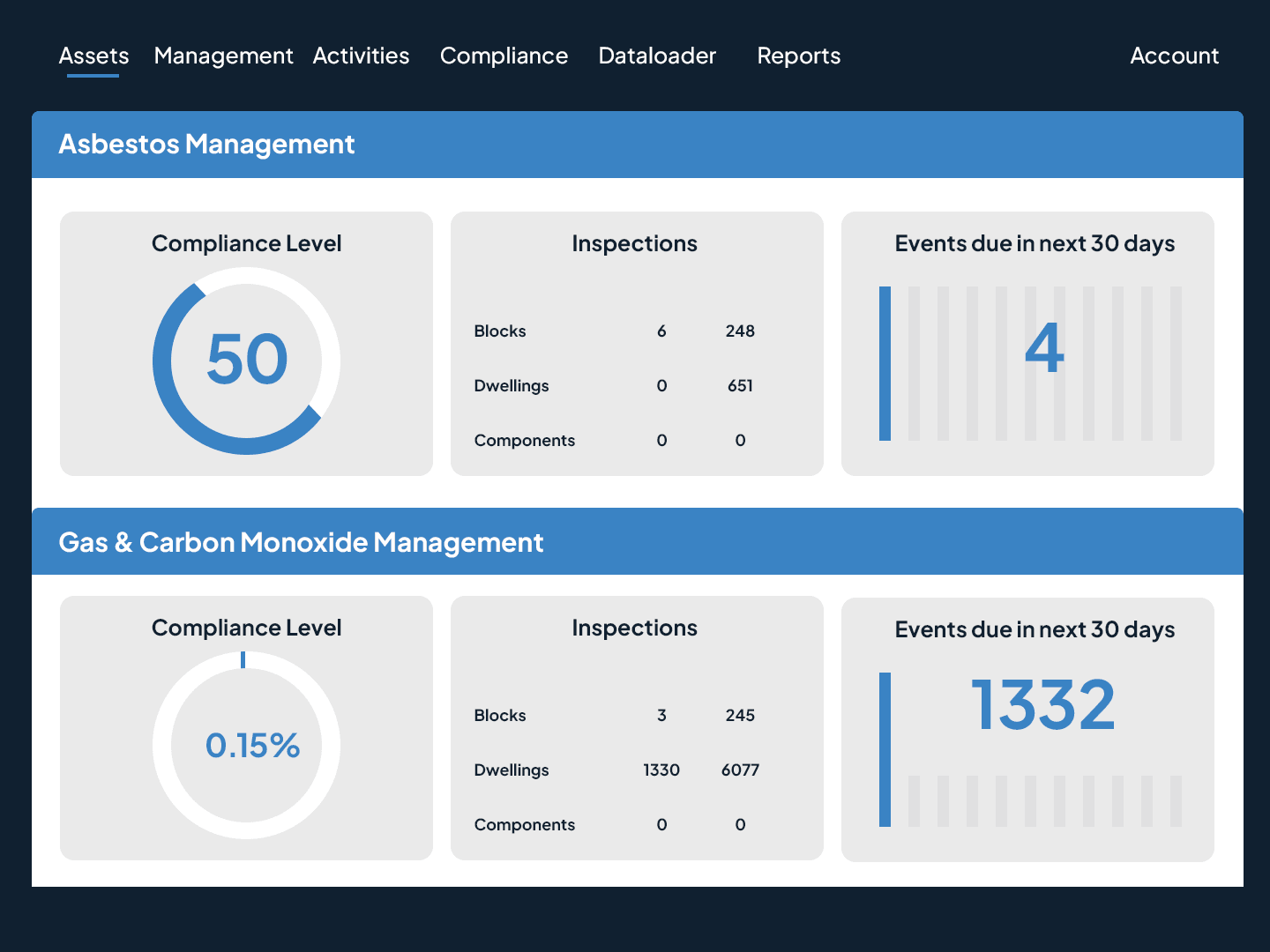
The final product is an outstanding web app where all maintenance tickets can be tracked end to end - from entry to resolution. Building maintenance planners can install, configure, and make this software theirs. Here’s a lowdown of the benefits the app offers its users:
Maintenance planners can now create work orders and schedule the timeline for the repair task.
Once the work order is created, the system designates the appropriate team for the task.
Planners can use toggle buttons to set priorities to attend to the most vital tickets or tasks.
Progress trackers help understand the ‘in-progress’ or ‘resolved’ statuses of tickets or tasks.
Attaching notes or photos to tickets further clarifies tasks and ensures faster completion.

Parent and child workflows help break up large repair tasks into smaller, manageable parts.
Advanced analytics help measure the outputs of maintenance teams for extra recognition.
Automated alerts sent 15 days in advance of planned activities ensure timely execution.
On-time alerts help stakeholders follow through on pending tasks and reduce unwanted delays.
End-to-end ticket workflows thus improve resolution time and end all management chaos.



Industry: Technology

Industry: Technology


Industry: Technology

Industry: Technology

Industry: Technology

Industry: Technology