Loading page…

CASE STUDY
 iOS
iOS PHP
PHP MySQL
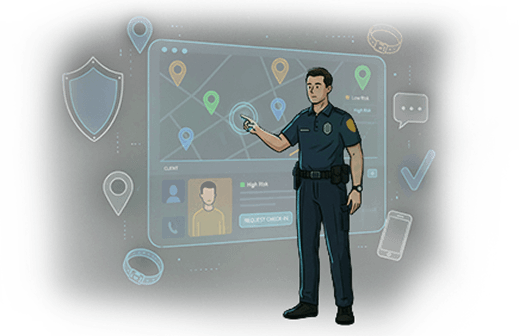
MySQLThe client wanted to develop an app that allows law enforcement agents to monitor their low-risk clients in a way that renders the ankle bracelet unnecessary, while also providing an ankle bracelet monitoring service for higher-risk clients.
We wanted the agent to be able to monitor multiple clients, ask questions, request check-ins, track the client using GPS, and other monitoring actions.
There are two types of applications we created for the project. We created one for agents and one for “clients.” In this instance, the “client” is someone who has been under house arrest for a crime, while the agents are the police officers who monitor the clients.
Other technologies of this sort rely on heavy trackers such as ankle trackers that are unwieldy and cumbersome. Our client wanted something that would be light and accurate to replace all of those.
The admin app uses GPS tracking and facial recognition software to check-in with clients under house arrest.
The app registers a device for the client and the agent can then send check-in requests and other alerts directly to the client, who has a specified amount of time in which to respond. If the client is not with their device or fails to check-in promptly, they are identified by a special icon and the data is recorded. Then the agent can go and see what’s wrong.
We also created a new hardware implementation, which is a bracelet the client wears to allow for easier monitoring.
Shows all an agent's clients. If a client has been assigned an ankle bracelet, an icon appears by their name. One of two icons will be shown here. If the bracelet is connected, the icon will be blue. If not, the bracelet will be red. If a client is selected their icon will appear on the Client Location map.
When an agent selects from the Clients list, the client's data appears in this box. When the agent clicks on the client's profile, the full details of the client appear, including work and personal history.
This displays the client's monitoring time, number of total check-ins, and number of outstanding check-ins.
Here the agent can see all alerts sent regarding the client.
This shows the details regarding the client's upcoming court appearances.
This tab will pull up a list of clients so that the agent can see their bail bond status. The agent can group the clients by name or bail bond status, pending or complete. The agent can sort clients by first name or last name, or can use the bail bond status. Status options include “pending,” “active,” and “completed.”
The agent sees the devices they monitor on this screen and can assign or remove devices to clients. If the agent wants to assign devices to a client, they can input the device name, serial number, and a phone number.
The agent can track their billing history here.
If the agents want to send some notification to particular clients, those alerts will show up here. The agent can delete alerts if they have been completed.
Fill Out the Form and Get Guaranteed Response Within 24 Hours
Expert guidance you can trust. No pitch, just expert solutions.