Loading page…

The client owns a conversational AI bot that uses Machine Learning models to resolve thousands of employee requests at work. The AI automates over 75% of the help desk workload using generative AI, large language models (LLMs), and GPT-3. Working professionals like IT guys, Facility Managers, HR personnel, etc., use this AI to get instant support at work.
Industry
Technology
Tech Stack
The client already had this conversational AI built. But, they needed to exhibit their AI services, too. They didn't have a platform to promote their AI services and transform their customer experience (CX). At this point, the client reached out to Capital Numbers for help.
The client contacted Capital Numbers to build a CMS that drives CX. They wanted us to envision and deliver an experience platform that unlocks customer value.
We needed to build a content-heavy CMS using Adobe Experience Manager (AEM). We focused on using AEM’s robust features to deliver outstanding CX across channels.

In creating this CMS, we needed to design a vast list of parent pages, child pages, navigations, URLs, directories, sub-directories, etc. In short, we had to create a big tree of web pages.
We also had to display multiple screenshots of AI bot dialogs on relevant web pages to give users a sense of how the bot functions. For instance, we had to show how the bot:
We aimed to design an evolved CX that instantly connects customers with the brand.
We began the work by picking two certified AEM developers from our talent pool. Our client also picked one Product Owner and Scrum Master from their talent pool. Serving as the bridge between the client’s team and ours was our Business Analyst (BA). We chose Slack for all client communication and Asana to resolve all tickets.
Our client started by raising tickets on Asana. Among the tickets, activating a tree of main pages and subpages was one of the key ones.
So, our team started by setting up the Adobe Experience Manager. We then activated a series of main pages and subpages using the Activate Tree in AEM. Activate Tree helped us bulk publish pages in seconds. We also used custom code to add/remove components on these pages. While publishing the pages, we had to work on resizing the logos, blockers, summaries, texts, fonts, colors, white spaces, and other visual elements.
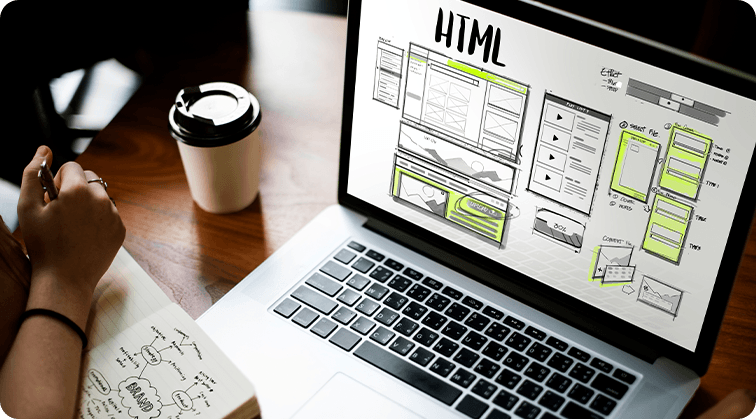
We skillfully leveraged AEM as it has advanced modules for digital asset management and delivery. AEM has beautiful, reusable templates that make content delivery through any channel and at any scale easy. It makes the development of any experience management platform a breeze. So, we made the most of AEM’s capabilities to create a platform personalized to customers’ needs.
We next focused on highlighting the screenshots of AI bot conversations. Our team collated 30+ screenshots of AI bot conversations and displayed them on relevant web pages like IT, HR, Facility, Finance, and more. The idea was to show how the AI responds to human queries.
We used core-js, HTML5, CSS3, and SCSS for various customizations in AEM. We divided the project into ten sprints, prioritized backlogs in each, and delivered everything on time.
In every sprint, our expert Business Analyst would test the solutions end to end to ensure nothing slipped through and then hand over the assets to the client for the final go-live.

.svg)




At the end of this 6-month long project, we delivered an incredible CX using AEM. We developed a CX that creates an ideal experience for anyone interacting with the brand.
Here’s more on what we achieved:
We perfectly structured the site with main pages, subpages, images, directories, knowledge centers, resource hubs, etc., to create value and an immersive experience for every customer.
Our newly-designed CX helps consume personalized content, promoting online brand advocacy and loyalty.
Our solutions create an omnichannel experience for customers and help them consume content across platforms, devices, and touchpoints.
Our optimizations result in faster page reloads, smoother navigation, and improved website speed.
We shaped the CX with demos, facts, rich insights, and data to help customers make real-time decisions across touchpoints.
To ensure high-quality engagements, we populated the pages with how-to videos, knowledge hubs, comparative studies, and actual screenshots.

We added a variety of screenshots (given below) across pages like IT, Finance, etc., to retain customers’ attention:
We kept all interactions intuitive across the CMS and created a unified, world-class platform that leaves customers with a lasting feeling about the brand.


Industry: Technology


Industry: Technology


Industry: Technology

Industry: Technology

Industry: Technology

Industry: Technology